Kumo
freeCloudflare's React component library on Base UI and Tailwind, the one its dashboard uses.

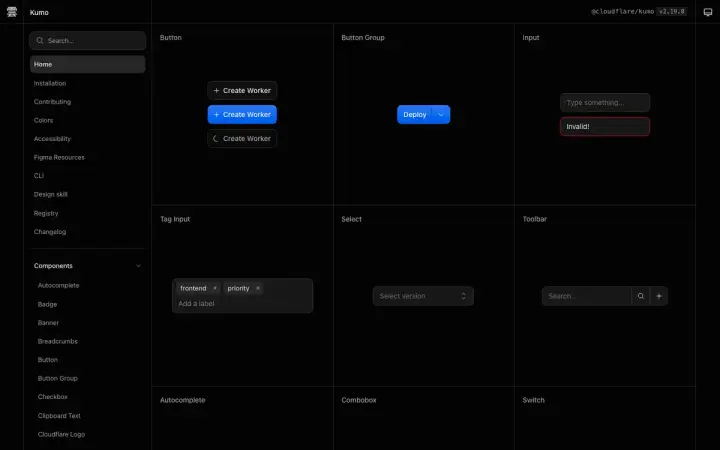
Try these
coss ui
Cal.com's open design system (formerly Origin UI): copy-in Base UI + Tailwind components and particles.
shadcn/ui
Copy-in React components on Tailwind, built on Base UI, Radix or React Aria, plus a registry CLI.
FlyonUI
Semantic Tailwind component classes like daisyUI, plus JS plugins for overlays and selects.
Trophy UI
shadcn registry of gamification parts: streak badges, points, achievements, leaderboards.
For your agent
Install
npm i @cloudflare/kumo @phosphor-icons/reactUse it for
- a developer platform dashboard in the style of the Cloudflare dashboard, as an installed component package
Skip it when
- you want to own and edit component source: use shadcn-ui or coss-ui
What's inside49 free
- Autocomplete
- Badge
- Banner
- Breadcrumbs
- Button
- Button Group
- Checkbox
- Clipboard Text
- Cloudflare Logo
- Code Highlighted
- Collapsible
- Combobox
- Command Palette
- Date Picker
- Dialog
- Dropdown
- Empty
- Flow
- Grid
- Inline Copy Text
- Input
- Input Area
- Input Group
- Label
- Layer Card
- Layer Dialog
- Link
- Loader
- Meter
- Pagination
- Popover
- Radio
- Select
- Sensitive Input
- Sidebar
- Skeleton Line
- Slider
- Switch
- Table
- Table of Contents
- Tabs
- Tag Input
- Text
- Toast
- Toolbar
- Tooltip
- Timeseries Chart
- Sankey Chart
- Maps
Facts
- Frameworks
- react
- Styling
- tailwind
- Weight
- medium
- Accessibility
- strong
- Maturity
- stable
- License
- MIT
- Price
- Free


import "@cloudflare/kumo/styles/standalone"
import { Button, Input, Surface } from "@cloudflare/kumo"

<Surface>
  <Input label="Project name" />
  <Button variant="primary">Create</Button>
</Surface>
https://kumo-ui.com
Loading website