NES.css
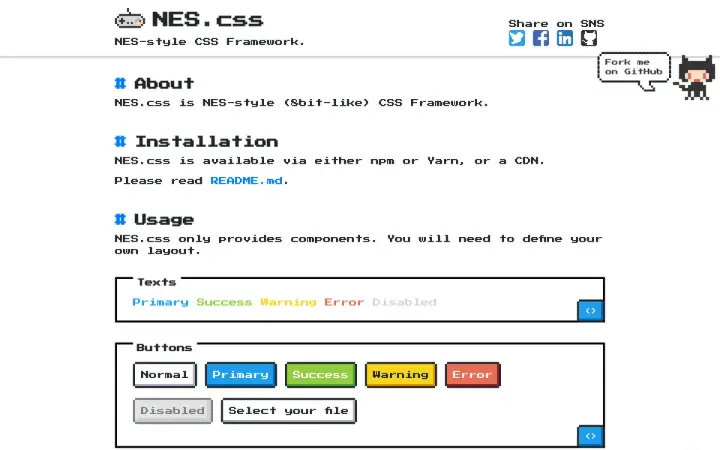
freeNES-style 8-bit CSS framework: pixel buttons, containers, speech balloons, progress bars, form controls and icons.
Try these
8bitcn/ui
Retro 8-bit versions of the shadcn/ui components, plus game HUD parts and game-screen blocks.
Pixelarticons
1,000+ free pixel-art icons on a strict 24px grid, no anti-aliasing.
Neobrutalism components
Neo-brutalism versions of the shadcn/ui components on Base UI, with colour palettes, stars and marquee.
Wired Elements
Hand-drawn, sketchy UI controls as web components, drawn with rough.js: buttons, inputs, cards, toggles, sliders.
Looks that pick it
For your agent
Install
npm i nes.cssUse it for
- an 8-bit or pixel art game page in plain HTML, Vue, Svelte or Astro, where 8bitcn's React components do not fit
- NES-style pixel buttons, framed containers with titles, dialogue speech balloons and progress bars
- a retro game jam, portfolio or event page that needs pixel UI from one stylesheet with no build step
Skip it when
- a React or shadcn project: use 8bitcn, which is maintained and ships real components and game HUD parts
- body text or dense forms: pixel type at small sizes is hard to read; keep NES.css for headings and controls
What's inside17 free
- Buttons
- Containers
- Balloons
- Dialogs
- Lists
- Tables
- Progress
- Badges
- Avatar
- Text
- Inputs
- Textarea
- Radios
- Checkboxes
- Selects
- Icons
- Pixel Arts
Facts
- Frameworks
- react, vue, svelte, solid, angular, vanilla
- Styling
- css
- Weight
- medium
- Accessibility
- ok
- Maturity
- stable
- License
- MIT
- Price
- Free
Pairs with

Alternatives

import "nes.css/css/nes-core.min.css"

<div class="nes-container with-title is-centered">
  <p class="title">Game Over</p>
  <progress class="nes-progress is-success" value="80" max="100"></progress>
  <button type="button" class="nes-btn is-primary">Continue</button>
</div>
https://nostalgic-css.github.io/NES.css/
Loading website