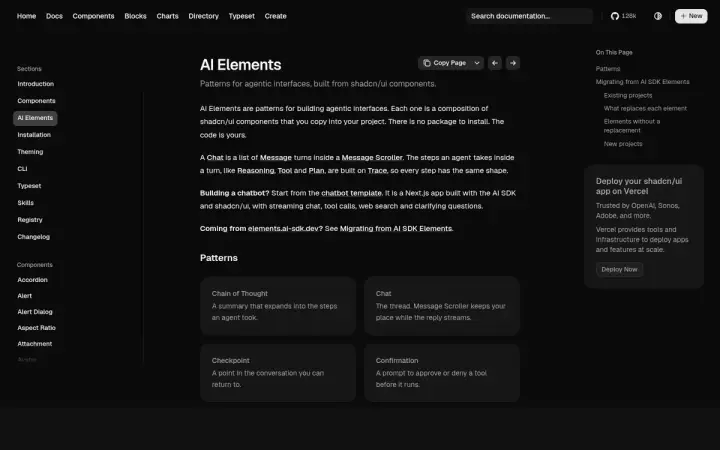
AI Elements (shadcn/ui)
freeshadcn/ui patterns for agent interfaces: chat, messages, reasoning, tool calls, plans, citations.

Try these
assistant-ui
React primitives and runtime for production AI chat: streaming, threads, tool UI, attachments.
prompt-kit
Small shadcn registry of AI chat parts: prompt input, markdown, code block, reasoning, loaders.
Kobra
A polished shadcn registry on Base UI: quiet gray UI, tuned motion, AI and agent components.
shadcn/ui
Copy-in React components on Tailwind, built on Base UI, Radix or React Aria, plus a registry CLI.
For your agent
Install
npx shadcn@latest add message message-scroller bubbleUse it for
- a chat UI on the Vercel AI SDK (`useChat`) inside a shadcn/ui app
- showing what an agent did in a turn: reasoning, tool calls, plan, chain of thought, confirmation before a tool runs
- streaming transcripts that keep scroll position while the reply grows (Message Scroller)
Skip it when
- you need threads, branching, retries and backend adapters handled: use assistant-ui
- the project is not on shadcn/ui: use assistant-ui's unstyled primitives and style them with your own kit
- starting from elements.ai-sdk.dev or `npx ai-elements`: that version is deprecated end of November 2026, use the shadcn/ui patterns
What's inside21 free
- Chain of Thought
- Chat
- Checkpoint
- Confirmation
- Context
- File Tree
- Inline Citation
- Message
- Model Selector
- Plan
- Prompt Input
- Queue
- Reasoning
- Sources
- Stack Trace
- Subagent
- Suggestion
- Task
- Terminal
- Test Results
- Tool
Facts
- Frameworks
- react
- Styling
- copy-in
- Weight
- small
- Accessibility
- ok
- Maturity
- stable
- License
- MIT
- Price
- Free


Alternatives



import { Bubble, BubbleContent } from "@/components/ui/bubble"
import { Message, MessageContent } from "@/components/ui/message"
import { MessageScroller, MessageScrollerContent, MessageScrollerItem, MessageScrollerProvider, MessageScrollerViewport } from "@/components/ui/message-scroller"

<MessageScrollerProvider>
  <MessageScroller>
    <MessageScrollerViewport>
      <MessageScrollerContent>
        {messages.map((m) => (
          <MessageScrollerItem key={m.id} messageId={m.id} scrollAnchor={m.role === "user"}>
            <Message>
              <MessageContent><Bubble><BubbleContent>{text(m)}</BubbleContent></Bubble></MessageContent>
            </Message>
          </MessageScrollerItem>
        ))}
      </MessageScrollerContent>
    </MessageScrollerViewport>
  </MessageScroller>
</MessageScrollerProvider>
https://ui.shadcn.com/docs/ai-elements
Loading website