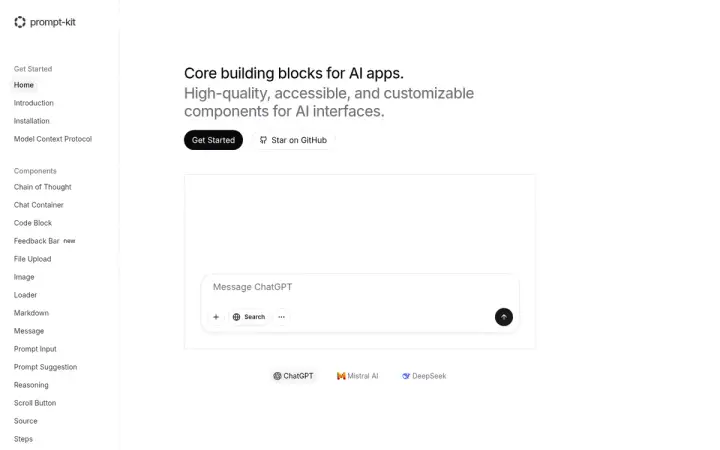
prompt-kit
freeSmall shadcn registry of AI chat parts: prompt input, markdown, code block, reasoning, loaders.

Try these
AI Elements (shadcn/ui)
shadcn/ui patterns for agent interfaces: chat, messages, reasoning, tool calls, plans, citations.
assistant-ui
React primitives and runtime for production AI chat: streaming, threads, tool UI, attachments.
shadcn/ui
Copy-in React components on Tailwind, built on Base UI, Radix or React Aria, plus a registry CLI.
Motion Primitives
Restrained Motion + Tailwind components: text effects, morphing dialogs, progressive blur, sliding numbers.
For your agent
Install
npx shadcn@latest add @prompt-kit/prompt-inputUse it for
- a polished prompt box with autosize, actions and tooltips on a landing page or app
- adding chat pieces (streamed markdown, thinking loaders, scroll button) to an existing UI one at a time
- a quick AI demo where you do not want a runtime or provider abstraction
Skip it when
- a full assistant with threads and tool approvals: use assistant-ui
- you want agent-step UI (traces, plans, confirmations) that matches stock shadcn: use ai-elements
What's inside19 free
- Chain of Thought
- Chat Container
- Code Block
- Feedback Bar
- File Upload
- Image
- Loader
- Markdown
- Message
- Prompt Input
- Prompt Suggestion
- Reasoning
- Scroll Button
- Source
- Steps
- System Message
- Text Shimmer
- Thinking Bar
- Tool
Facts
- Frameworks
- react
- Styling
- copy-in
- Weight
- small
- Accessibility
- ok
- Maturity
- stable
- License
- MIT
- Price
- Free
Pairs with


Alternatives


import { Button } from "@/components/ui/button"
import { PromptInput, PromptInputActions, PromptInputTextarea } from "@/components/ui/prompt-input"

<PromptInput value={input} onValueChange={setInput} isLoading={isLoading} onSubmit={send}>
  <PromptInputTextarea placeholder="Ask anything" />
  <PromptInputActions>
    <Button size="sm" onClick={send}>Send</Button>
  </PromptInputActions>
</PromptInput>
https://www.prompt-kit.com/blocks
Loading website